Best IPTV Players for Smart TV in 2026: Complete Guide
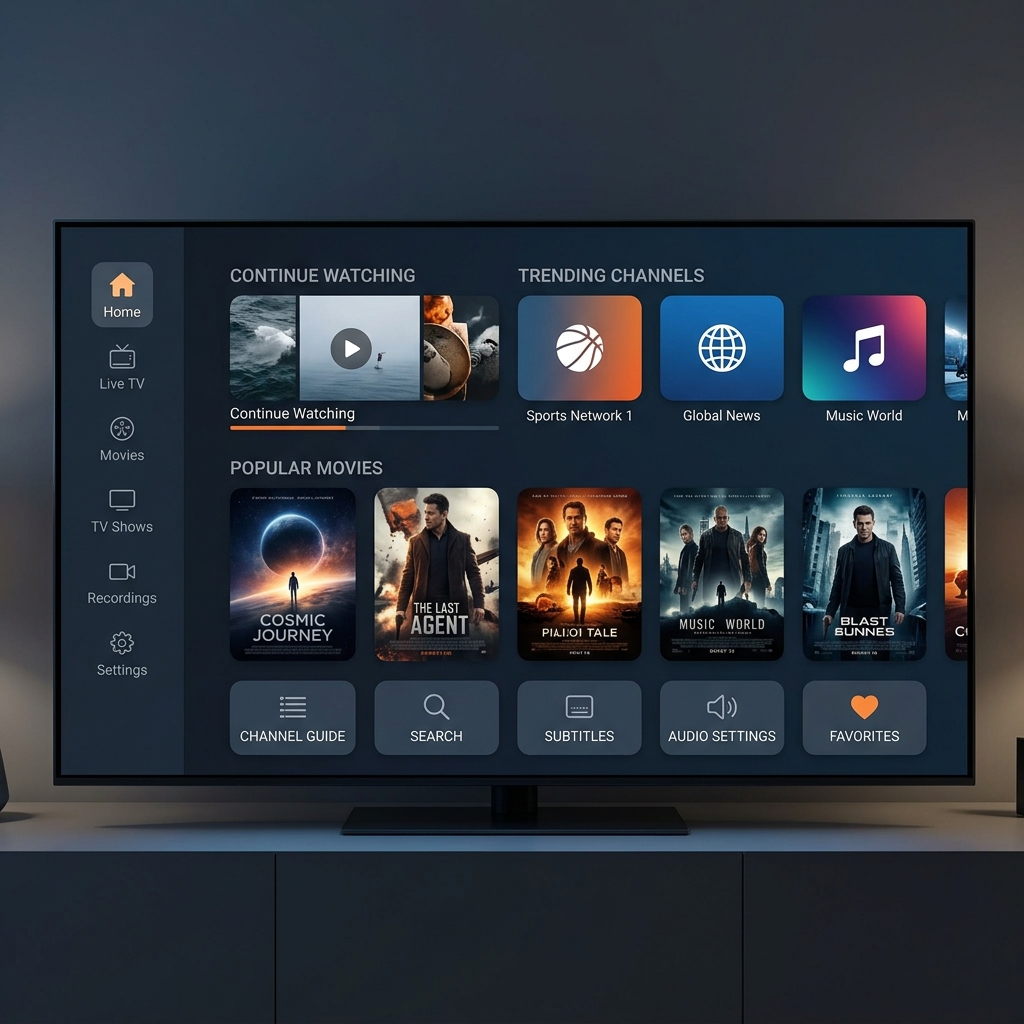
Best IPTV Players for Smart TV in 2026: Complete Guide
Introduction
Smart TVs have transformed modern living rooms into complete digital entertainment hubs. With high-definition displays, powerful integrated audio, and direct internet connectivity, millions of households have replaced traditional cable hardware with television streaming applications. If you are looking to access live channels, sports broadcasts, on-demand movies, and international television, choosing the best IPTV players for Smart TV is the single most important decision for your viewing setup.
An IPTV player serves as the visual interface between your television hardware and your digital television service. While modern televisions from Samsung, LG, Sony, and TCL provide impressive hardware capabilities, their built-in app stores and default media players vary significantly in performance, feature set, and layout. Selecting the right IPTV app for Smart TV ensures quick channel zapping, instant Electronic Program Guide (EPG) loading, seamless subtitle integration, and smooth 4K video playback.
In this comprehensive guide, we will evaluate the top IPTV players available in 2026 across major Smart TV operating systems—including Samsung Tizen, LG webOS, Android TV, Google TV, and Amazon Fire OS. Whether you are using a premium provider like FreeGoTV or exploring player software for your setup, this guide will help you select, configure, and optimize the perfect application for your television.
Premium FreeGoTV Streaming — Save 61% Today
Unlock crystal-clear HD/4K streaming, advanced EPG, and zero buffering. Get our Ultimate 12-month plan for just $69.99.
- Premium Antifreeze
- Instant Setup
Best IPTV Players for Smart TV in 2026What Is an IPTV Player?
Before diving into specific application comparisons, it is essential to understand what an IPTV player is—and equally important, what it is not.
An IPTV (Internet Protocol Television) player is a software application designed to receive, decode, and display television streams delivered over internet protocols. It acts as an advanced media player tailored specifically for live broadcasts and organized video-on-demand (VOD) catalogs.
The Critical Distinction: Software vs. Content Provider
A common point of confusion for beginners is the difference between an IPTV player and an IPTV service provider:
- IPTV Player (Software): The application interface installed on your Smart TV (such as TiviMate, SmartOne IPTV, or IPTV Smarters). The player provides menus, channel lists, EPG grids, search tools, and media decoders. An IPTV player contains no content, channels, or subscriptions on its own.
- IPTV Provider (Content Service): The authorized service (such as FreeGoTV) that supplies the actual stream URLs, channel playlists, EPG feeds, and authentication server access.
When you install a best IPTV player for Smart TV, you must input authorized login credentials—typically an M3U playlist URL or Xtream Codes API details—provided by your subscription service. The player then connects to those servers and renders your channel lineup on screen.
What Makes a Good IPTV Player for Smart TV?
Not every media application is optimized for a television environment. Mobile apps designed for touchscreens often feel awkward when operated with a standard handheld TV remote. When evaluating IPTV apps for Smart TV, consider these key criteria:
1. TV-Friendly User Interface & D-Pad Remote Navigation
A great Smart TV application must be designed from the ground up for directional pad (D-pad) navigation. Menus should feature large, readable text, high-contrast focus indicators, and logical button shortcuts. Navigating through hundreds of channels should feel fast and intuitive without requiring a mouse cursor.
2. Native Operating System Compatibility
Smart TVs run on diverse operating systems. Samsung uses Tizen OS, LG relies on webOS, while Sony, TCL, and Philips frequently run Android TV or Google TV. A top-tier player must be natively compiled and optimized for the specific operating system to ensure stability and low memory consumption.
3. Electronic Program Guide (EPG) Integration
The Electronic Program Guide is the heart of live television browsing. A high-quality IPTV EPG player loads program schedules quickly, displays multi-channel timelines, shows progress bars for ongoing shows, and provides detailed program descriptions without lagging.
4. Flexible Playlist & Login Protocol Support
The app should support industry-standard authentication methods, including:
- Xtream Codes API: Allows easy login using a server URL, username, and password.
- M3U / M3U8 Playlists: Allows importing playlist files via URL.
- MAC Address / Portal Registration: Enables server-side playlist linking for quick setup on Samsung and LG TVs.
5. Advanced Playback Engine & 4K Decoding
Smart TV processors vary in rendering power. The player should feature hardware-accelerated video decoding (H.264, HEVC/H.265, and AV1 codecs), adaptive buffering control, and native passthrough for multi-channel audio and HDR 4K streams.
6. Channel Organization, Favorites & Category Filtering
Managing thousands of live channels and VOD titles requires robust organization tools. Essential features include custom favorite lists, category hiding, channel search, and sorting by name or channel number.
Best IPTV Players for Smart TV in 2026
Below is a detailed evaluation of the leading IPTV applications available for Smart TVs in 2026. Each player has been assessed for performance, navigation ease, EPG capabilities, and overall Smart TV suitability.
TiviMate
Best Overall IPTV Player for Android TV, Google TV, and Fire TV
TiviMate is widely regarded as the gold standard among IPTV applications for TV environments. Built exclusively for television displays, TiviMate delivers an interface that closely mirrors traditional high-end cable and satellite receivers.
- Best for: Cable TV lovers and power users seeking a premium interface.
- Supported Platforms: Android TV, Google TV, Amazon Fire TV.
- Main Strengths:
- Exceptional full-screen EPG grid view with smooth scrolling and live channel preview.
- Ultra-fast channel switching speed with minimal delay.
- Multi-playlist support allowing seamless switching between different feeds.
- Integrated Catch-Up TV support for reviewing past broadcasts.
- Highly customizable remote control shortcuts and color themes.
- Main Weaknesses:
- Unavailable natively on Samsung Tizen or LG webOS app stores.
- Premium version required to unlock multi-playlist and recording features.
- EPG & Playlist Support: Full Xtream Codes API, M3U playlist URLs, and XMLTV EPG sources.
- 4K Considerations: Excellent hardware acceleration support, making it an outstanding IPTV 4K player on capable streaming hardware.
- Overall Suitability: Unmatched for Android TV and Fire TV users who desire a premium, cable-like interface.
IPTV Smarters / Smarters Player Lite
Best for Cross-Platform Compatibility Across Samsung, LG, and Android TV
IPTV Smarters is one of the most recognized names in television streaming applications due to its availability across almost every major Smart TV platform.
- Best for: Beginners and households with multiple TV brands.
- Supported Platforms: Samsung Smart TV (Tizen Store), LG Smart TV (LG Content Store), Android TV, Google TV, Fire TV, Apple TV, iOS, Windows, Mac.
- Main Strengths:
- Available natively on official Samsung and LG app stores.
- Clean layout divided into Live TV, Movies, Series, and Catch-Up.
- Seamless Xtream Codes API login requiring only server URL, username, and password.
- Built-in multi-screen support for watching multiple streams simultaneously.
- Main Weaknesses:
- Interface feels generic compared to specialized players like TiviMate.
- Free mobile versions contain occasional banner ads.
- EPG & Playlist Support: Xtream Codes API, M3U playlists, and single/multiple EPG URLs.
- 4K Considerations: Handles standard 4K streams well with default rendering engines.
- Overall Suitability: The ideal choice for an easy-to-use IPTV player for Samsung Smart TV or LG Smart TV without complex manual installation.
SmartOne IPTV
Best Lightweight Player for Samsung Tizen & LG webOS
SmartOne IPTV is a high-performance media application designed specifically for Smart TVs running Samsung Tizen and LG webOS. It focuses on lightweight operation and rapid initialization.
- Best for: Fast performance on native Samsung and LG televisions.
- Supported Platforms: Samsung Smart TV, LG Smart TV, Android TV, Vestel, Panasonic.
- Main Strengths:
- Rapid startup time and low RAM footprint, ideal for entry-level Smart TVs.
- Intuitive remote-control navigation with category hotkeys.
- Easy web portal management for uploading playlists via MAC address or TV ID.
- Clean dark interface with multi-language subtitle support.
- Main Weaknesses:
- Requires a nominal activation fee after a 14-day trial period.
- Basic EPG layout customization options.
- EPG & Playlist Support: M3U playlists, Xtream Codes API, and embedded XMLTV EPG data.
- 4K Considerations: Extremely stable 4K video rendering due to low background memory consumption.
- Overall Suitability: A top candidate for Samsung and LG owners who want a smooth, fast application without heavy operating system overhead.
IBO Player
Best User-Friendly App for LG and Samsung Smart TVs
IBO Player has gained immense popularity among Smart TV owners due to its sleek design, rapid channel parsing, and reliable video rendering engine.
- Best for: LG Magic Remote users and clean dashboard fans.
- Supported Platforms: LG Smart TV (webOS), Samsung Smart TV (Tizen), Android TV, Fire TV, Apple TV.
- Main Strengths:
- Outstanding responsiveness on LG webOS Magic Remote and Samsung Smart Remotes.
- Simple online playlist management using your TV's MAC address and Device Key.
- Powerful internal video player supporting multiple audio tracks and external subtitles.
- Integrated movie and series organization with poster art and plot summaries.
- Main Weaknesses:
- Requires activation after a 7-day trial.
- Configuration changes require using a web browser portal.
- EPG & Playlist Support: Xtream Codes API, M3U URLs, and automated EPG syncing.
- 4K Considerations: Excellent 4K playback performance with manual buffer adjustments to minimize frame drops.
- Overall Suitability: One of the most reliable IPTV players for LG TV and Samsung TV users looking for effortless setup and clean visuals.
OTT Navigator
Best for Advanced Customization and Stream Monitoring on Android TV
OTT Navigator is a feature-rich application designed for power users who want maximum control over their viewing experience and codec management.
- Best for: Power users and technical viewers wanting stream telemetry.
- Supported Platforms: Android TV, Google TV, Fire TV, Android mobile devices.
- Main Strengths:
- Deep customization options for UI layout, fonts, colors, and EPG display modes.
- Detailed stream technical stats overlay (resolution, frame rate, video codec, bitrate).
- Automatic channel grouping by genre, country, or custom tag rules.
- Media archiving and Catch-Up timeline view for supported streams.
- Main Weaknesses:
- Steeper learning curve due to extensive menu options.
- Unavailable on native Samsung or LG operating systems.
- EPG & Playlist Support: Multiple M3U playlists, Xtream Codes API, and custom XMLTV files.
- 4K Considerations: Allows granular buffer adjustments, making it easier to resolve IPTV 4K buffering issues.
- Overall Suitability: Perfect for tech-savvy viewers using Android TV who demand deep telemetry and control.
Other Worthwhile IPTV Players
- XCIPTV: A popular Android TV player featuring a clean dashboard UI with built-in speed testing and VPN support.
- SS IPTV: A free universal player available on older Samsung and LG app stores for basic M3U playlist rendering.
- Nanomid Player: A premium multi-platform player offering encrypted playlist management across webOS, Tizen, and Android.
IPTV Player Comparison Table
The table below provides an IPTV player comparison summarizing key capabilities across platforms:
| IPTV Player | Primary Platforms | EPG Support | Xtream API | Remote Friendly | Ideal User |
|---|---|---|---|---|---|
| TiviMate | Android TV, Google TV, Fire TV | Excellent (Grid/Timeline) | Yes | Exceptional | Cable TV lovers, power users |
| IPTV Smarters | Samsung, LG, Android, iOS, Fire TV | Good | Yes | Very Good | Beginners, multi-device homes |
| SmartOne IPTV | Samsung, LG, Android TV | Good | Yes | Very Good | Samsung & LG owners seeking speed |
| IBO Player | LG, Samsung, Android, Apple TV | Excellent | Yes | Excellent | LG Magic Remote users, clean UI fans |
| OTT Navigator | Android TV, Google TV, Fire TV | Advanced | Yes | Very Good | Technical users, detailed stats fans |
| XCIPTV | Android TV, Google TV, Fire TV | Good | Yes | Very Good | Dashboard UI preference |
Best IPTV Players by Smart TV Platform
Because Smart TV manufacturers utilize different operating systems, application availability varies based on television brand:
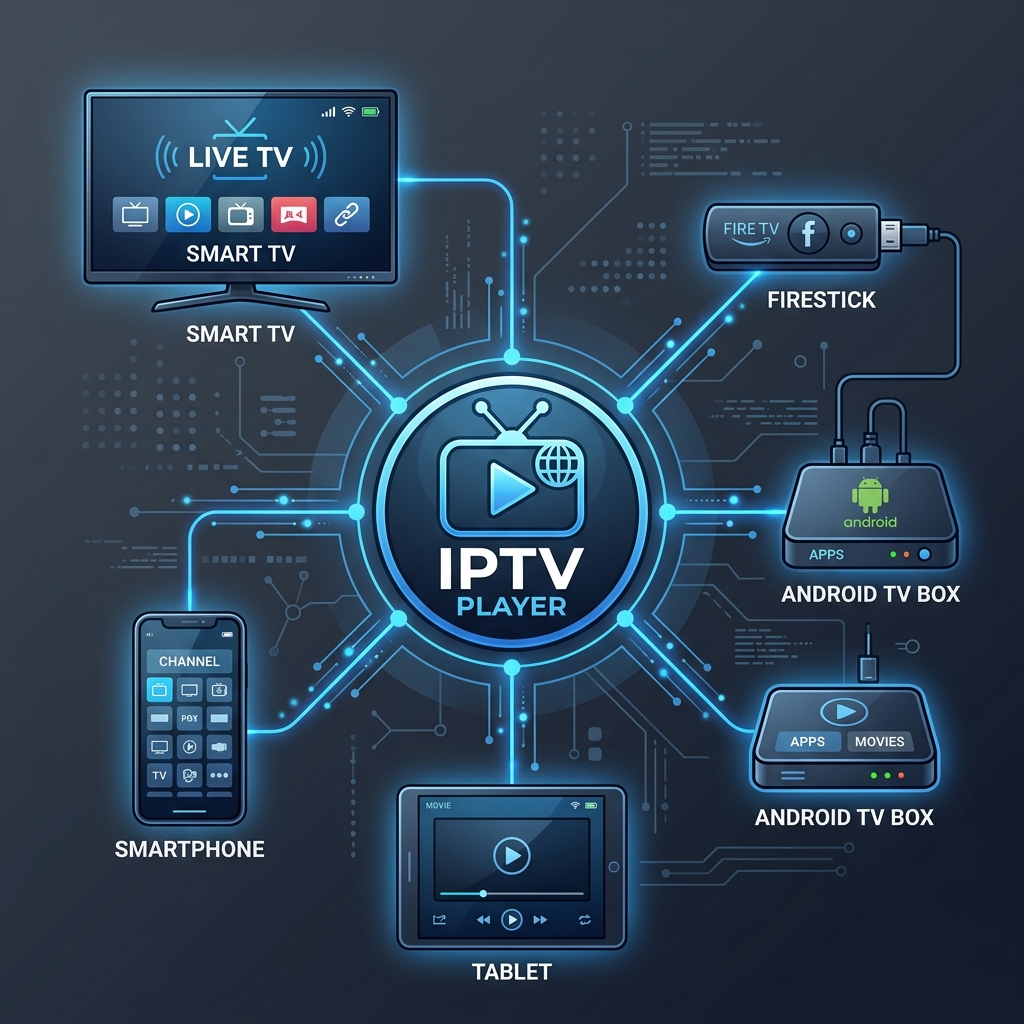 IPTV Player Smart TV Comparison
Best IPTV Players for Samsung Smart TV
Samsung Smart TVs run on Tizen OS. Unlike open Android systems, Tizen uses a curated application store. You cannot directly install Android APK files on a Samsung TV.
- Top Recommended Apps:
- SmartOne IPTV: Delivers the fastest loading times on Samsung hardware.
- IBO Player: Offers the cleanest interface and easiest setup via web browser.
- IPTV Smarters Pro: Native app available directly in the Samsung App Store.
- Tizen Setup Tip: Always search for the application directly in the official Samsung App Store on your TV.
Best IPTV Players for LG Smart TV
LG Smart TVs operate on webOS, which features the motion-controlled Magic Remote. Like Samsung, LG webOS relies on its dedicated content store.
- Top Recommended Apps:
- IBO Player: Exceptional compatibility with LG's Magic Remote cursor and D-pad.
- SmartOne IPTV: Lightweight and reliable for multi-channel browsing.
- IPTV Smarters: Ideal for standard Xtream API login.
- webOS Setup Tip: Use the point-and-click functionality of the LG Magic Remote to navigate categories easily.
Best IPTV Players for Android TV and Google TV
Sony, TCL, Philips, and external streaming devices run Android TV / Google TV OS, the most flexible ecosystem for television streaming.
- Top Recommended Apps:
- TiviMate: The unrivaled leader for Android TV operating systems.
- OTT Navigator: Best for detailed stream analysis and custom channel organization.
- IPTV Smarters / XCIPTV: Reliable cross-platform alternatives.
- Android Setup Tip: You can install apps directly from the Google Play Store or use trusted side-loading tools like Downloader.
Best IPTV Players for Fire TV
Amazon Fire TV devices (Firestick, Fire TV Cube, Smart Fire TVs) run Fire OS, a modified version of Android.
- Top Recommended Apps: TiviMate, IPTV Smarters, OTT Navigator.
- Fire TV Setup Tip: Refer to our complete Firestick setup guide for step-by-step installation instructions.
Which IPTV Player Is Best for You?
Selecting the right player depends on your hardware, technical expertise, and viewing preferences:
- Best for Beginners: IPTV Smarters Pro or IBO Player (Simple dashboard, straightforward login).
- Best for Cable TV Viewers: TiviMate (Full-screen EPG timeline grid).
- Best for Samsung Smart TV Owners: SmartOne IPTV or IBO Player (Fast execution on Tizen OS).
- Best for LG Smart TV Owners: IBO Player (Magic Remote support and smooth webOS navigation).
- Best for Android TV & Google TV: TiviMate or OTT Navigator.
- Best for Multi-Screen Viewers: Learn how to stream on multiple TVs simultaneously in our multi-screen streaming guide.
- Best for Fast Channel Switching: Optimize zapping buffer delays by following our guide on improving channel switching speed.
Premium FreeGoTV Streaming — Save 61% Today
Unlock crystal-clear HD/4K streaming, advanced EPG, and zero buffering. Get our Ultimate 12-month plan for just $69.99.
- Premium Antifreeze
- Instant Setup
Important IPTV Player Features Explained
To get the most out of your chosen player, understand these core features:
1. Electronic Program Guide (EPG)
The EPG downloads television schedule metadata from your provider. A good EPG automatically synchronizes in the background without causing video playback stutters.
2. M3U Playlists vs. Xtream Codes API
- M3U Playlists: Single text link containing stream addresses.
- Xtream Codes API: Database authentication protocol requiring Server URL, Username, and Password. Automatically organizes channels, VOD movies, series, and EPG links cleanly.
3. Favorites and Category Filtering
Utilizing "Add to Favorites" allows you to build a list of 20–50 frequently watched channels, eliminating the need to scroll through massive channel lists.
4. Audio Tracks and Subtitle Selection
Top players allow you to switch audio language tracks on the fly during live broadcasts via the playback control menu.
5. Catch-Up TV and Timeshift
Catch-Up TV allows you to re-watch live television broadcasts that aired hours or days prior directly from the EPG guide.
6. External Player Integration
Some Android-based players allow delegating video decoding to external media engines like VLC or MX Player, resolving rare format issues or sound with no picture errors.
Can IPTV Players Stream 4K on Smart TVs?
A frequent question from Smart TV buyers is whether installing a specific IPTV 4K player guarantees 4K Ultra HD streaming.
The Reality of 4K Streaming
An IPTV player itself does not generate or upscale 4K video quality. Smooth 4K playback depends on:
- Source Stream Quality: The provider (such as FreeGoTV) must broadcast the channel in native 4K resolution.
- TV Hardware Decoders: Your Smart TV processor must feature hardware decoding for HEVC (H.265) or AV1 codecs.
- Player Buffer Management: The IPTV app must allocate sufficient video buffer memory.
- Internet Bandwidth & Stability: 4K streams require continuous bandwidth of 25–50 Mbps.
If your 4K streams stutter, verify your connection with our guide on what internet speed you need for IPTV. For persistent issues, check our guide on fixing IPTV 4K buffering.
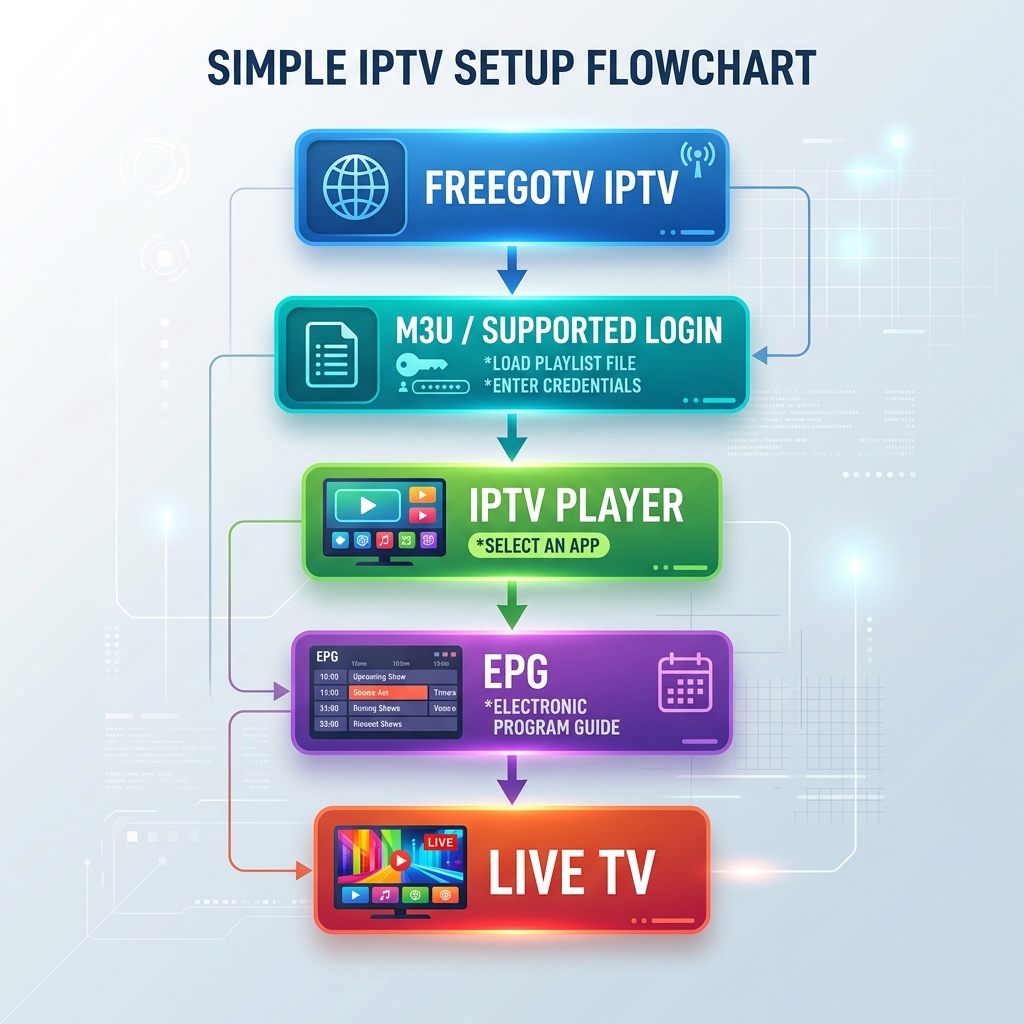 Best IPTV Apps for Samsung LG and Android TV
How to Choose the Right IPTV Player for Your Smart TV
Use this practical 10-step checklist to select the ideal application:
- Identify Your TV OS: Confirm whether your TV runs Samsung Tizen, LG webOS, Android TV, Google TV, or Fire OS.
- Check App Store Availability: Search your TV's app store for native applications like IBO Player, SmartOne, or IPTV Smarters.
- Verify Login Compatibility: Ensure the app supports Xtream Codes API or M3U credentials.
- Test Remote Usability: Confirm channel flipping, EPG opening, and category browsing respond crisp to your remote.
- Evaluate EPG Display: Choose an application with a comfortable program schedule layout.
- Check Subtitle & Audio Options: Ensure the player easily toggles secondary audio streams.
- Test Playback Stability: Observe channel loading speed and stability over several hours.
- Verify 4K Codec Support: Test high-bitrate channels to ensure hardware decoders handle 4K rendering smoothly.
- Review Pricing: Note whether the app is free, offers a trial period, or requires a small activation fee.
- Keep It Simple: Select the simplest application that reliably meets your daily viewing needs.
If you encounter general connectivity errors, refer to our comprehensive IPTV troubleshooting guide.
Using FreeGoTV With an IPTV Player
If you are a FreeGoTV subscriber, using your service with a compatible Smart TV player is straightforward. FreeGoTV provides full compatibility with major Smart TV operating systems—including Samsung, LG, Android TV, Google TV, and Amazon Firestick.
How to Connect FreeGoTV to Your Player
- Select & Install Your Player: Choose a compatible player for your TV platform (e.g., TiviMate for Android TV, IBO Player or SmartOne for Samsung/LG).
- Retrieve Your Activation Credentials: Locate your official FreeGoTV welcome email containing your Xtream Codes API credentials (Server URL, Username, and Password) or M3U Playlist link.
- Input Credentials into the Player: Launch your player, select "Add Playlist" or "Xtream Codes API", and type in your details carefully.
- Load & Enjoy: Allow the application to download your channel categories, VOD library, and EPG program guide.
To explore available channel packages, visit our IPTV pricing page. For detailed setup guides across various devices, review our installation guide. If you have specific hardware compatibility questions, check our supported devices overview or reach out directly to our customer support team.