Best IPTV Players in 2026: Top Apps for Smart TVs, Firestick and Android TV
Best IPTV Players in 2026: Top Apps for Smart TVs, Firestick and Android TV
Introduction
As we move deeper into 2026, the shift from traditional cable to internet-based streaming is virtually complete. However, getting a high-quality IPTV subscription is only half the battle. To actually watch your favorite channels, movies, and sports, you need a software application to decode and display the streams. This is where the IPTV player matters.
Many users make the mistake of thinking that all IPTV experiences are the same, but the reality is that the exact same IPTV service can feel completely different depending on the player you use. Your choice of player dictates the entire user interface, the speed of channel navigation, how well the Electronic Program Guide (EPG) loads, and how efficiently you can manage multiple playlists. A premium player will offer smooth playback, expansive device compatibility, easy favorites management, and even advanced features like recording and catch-up (where supported by the provider).
Whether you are using the FreeGoTV IPTV service or another premium provider, selecting the right application transforms a clunky list of links into a beautiful, television-style experience. In this comprehensive guide, we will explore the best IPTV players in 2026, breaking down the top options for Smart TVs, Firestick, Android TV, and more. We will help you understand the differences between them so you can choose the perfect application for your streaming setup.
Quick Answer: Which IPTV Player Should You Choose?
If you want to skip the deep dive and get straight to the recommendations, here is a quick summary of the best options based on your specific use case. Remember that there is no single IPTV player that is universally the "best" for everyone, as compatibility heavily depends on the hardware you own.
- Best overall for Android TV / Fire TV: TiviMate
- Best for beginners and ease of use: IPTV Smarters / Smarters Player
- Best for Samsung and LG Smart TVs: IBO Player (availability varies by region)
- Best for cross-platform users: XCIPTV
- Best free option for basic playback: VLC Media Player
- Best for advanced users and customization: OTT Navigator
- Best for EPG presentation: TiviMate
When evaluating these recommendations, it is crucial to base your decision on verified current compatibility and features, as app stores frequently update their available software libraries.
IPTV Player Comparison Table
To help you make an informed decision quickly, we have compiled a comparison of the top IPTV players in 2026. Please note that features such as M3U and Xtream API support can vary slightly depending on the exact version and platform.
| IPTV Player | Best For | Platforms | EPG | M3U | Xtream/API | Free/Paid |
|---|---|---|---|---|---|---|
| TiviMate | Android/Fire TV | Android TV, Fire OS | Yes | Yes | Yes | Freemium |
| Smarters Player | Beginners | Android, iOS, Windows, Mac, Smart TVs | Yes | Yes | Yes | Freemium |
| IBO Player | Smart TVs | Samsung Tizen, LG webOS, Android | Yes | Yes | Yes | Paid |
| XCIPTV | Cross-platform | Android, Android TV, Fire OS | Yes | Yes | Yes | Freemium |
| OTT Navigator | Advanced users | Android, Android TV | Yes | Yes | Yes | Freemium |
| GSE Smart IPTV | Apple/iOS users | iOS, tvOS, macOS, Android | Yes | Yes | Yes | Freemium |
| VLC Media Player | Basic testing | Windows, Mac, Linux, Android, iOS | No | Yes | No | Free |
What Is an IPTV Player?
Before diving into the specific applications, it is essential to understand exactly what an IPTV player is in simple language. The most common point of confusion for new cord-cutters is the difference between an IPTV service and an IPTV player.
The IPTV Service
An IPTV service (like FreeGoTV IPTV) is the provider that actually supplies the content. The service maintains the servers, organizes the live TV channels, curates the Video on Demand (VOD) library, and provides you with the access credentials needed to stream the media. The service does not typically force you to use one specific piece of hardware.
The IPTV Player
An IPTV player is the application used to load and watch that content. The player itself provides absolutely zero channels, movies, or shows. It is essentially an empty shell—a highly specialized media player designed to read network streams. You must input your subscription credentials into the player to make it work.
Players generally accept credentials through two common methods:
- M3U Playlists: A long URL file containing the direct links to every channel and media file in your subscription.
- Xtream Codes/API: A simpler login method requiring a Server URL, a Username, and a Password, which the player then uses to automatically download the channel list and EPG data.
Not every player supports every login method, though the best IPTV players in 2026 almost universally support both.
What Should You Look for in an IPTV Player?
When evaluating the top IPTV apps, we look at several critical factors that define a premium streaming experience. Here is what you should consider:
1. Device compatibility
An app is only useful if it runs on the hardware you own. Some apps are exclusive to Android, while others work across various supported devices.
2. Easy interface
You want an application that feels like a traditional cable box—intuitive, clean, and easy to navigate with a standard remote control.
3. EPG quality
The Electronic Program Guide is vital for live TV. A good player will sync EPG data quickly, display it beautifully in a grid, and allow for easy channel surfing.
4. Playlist management
If you use multiple IPTV services or backup playlists, you need a player that allows you to easily switch between different accounts without having to constantly log in and out.
5. Channel switching
Also known as "zapping" speed, a premium player should change channels almost instantly, minimizing the black screen delay.
6. Playback stability
The player must have a robust internal video decoding engine to prevent crashes and handle high-bitrate streams smoothly. For more on playback issues, see our guide on IPTV Not Working.
7. 4K playback capability
While the source stream matters most, the player must support hardware acceleration to decode 4K video efficiently without overheating your device.
8. Recording
If your provider allows multiple connections and the app supports it, local recording to a USB drive or internal storage is a fantastic feature.
9. Catch-up/time-shift
If your provider archives broadcasts, the player needs a dedicated interface to access these past programs seamlessly.
10. Favorites
With thousands of channels available, the ability to create and organize a custom favorites list is non-negotiable.
11. Parental controls
The ability to lock specific categories or channels behind a PIN code is essential for families.
12. Multi-screen support
Some advanced players offer a picture-in-picture or multi-view mode, allowing you to watch two or more streams simultaneously (provided your subscription allows multiple connections).
13. Updates
The best players receive regular updates from their developers to patch bugs, improve security, and add new features.
Premium FreeGoTV Streaming — Save 61% Today
Unlock crystal-clear HD/4K streaming, advanced EPG, and zero buffering. Get our Ultimate 12-month plan for just $69.99.
- Premium Antifreeze
- Instant Setup
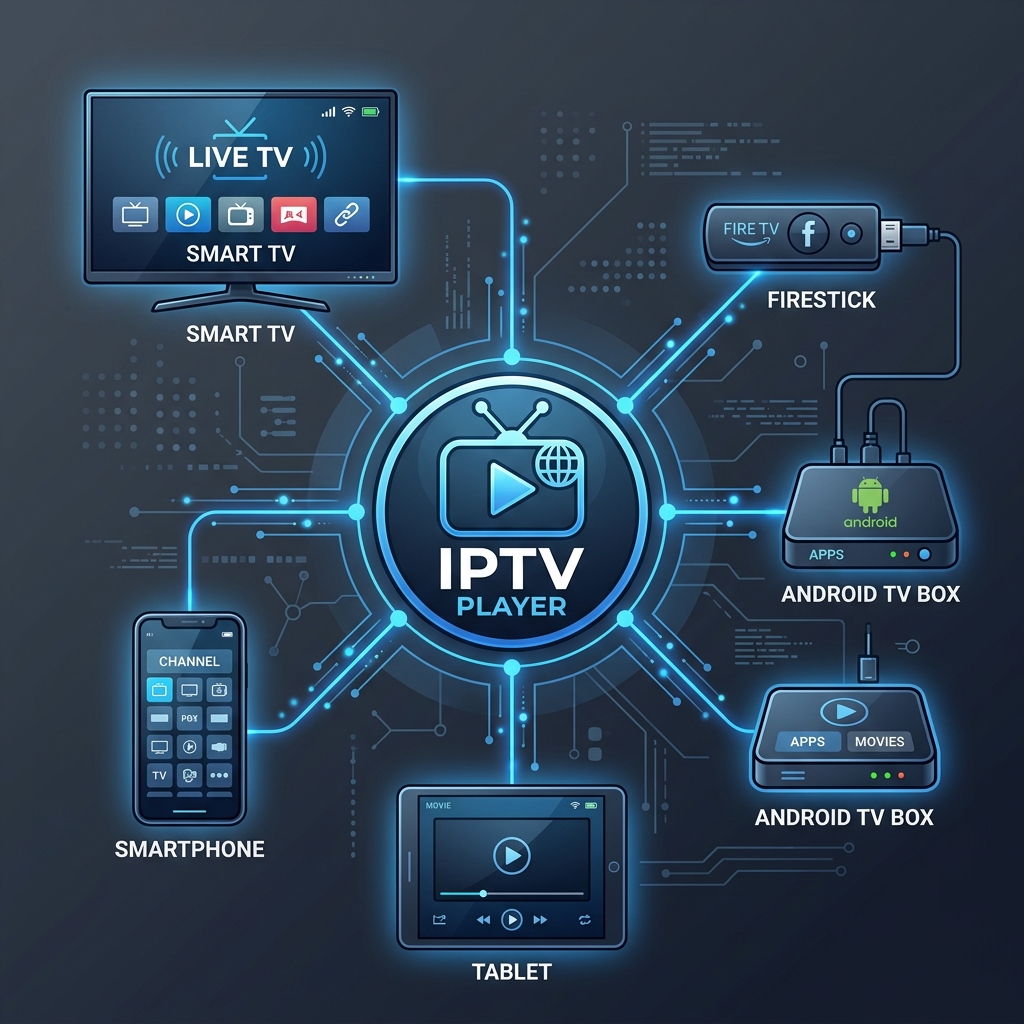 IPTV player compatibility with Smart TV Firestick and Android TV
1. TiviMate
When discussing the best IPTV players in 2026, TiviMate is almost universally recognized as the gold standard for Android TV and Fire OS devices. If you are using a dedicated streaming box or a modern Smart TV running the Android operating system, TiviMate is incredibly difficult to beat.
TiviMate was designed from the ground up specifically for large screens and remote controls. It does not feel like a ported mobile app; it feels exactly like a premium, modern cable or satellite interface.
Best use case: Dedicated Android TV boxes (like NVIDIA Shield), Google TV, and Amazon Firestick. Interface: Exceptionally clean, highly customizable, and perfectly optimized for D-pad navigation. EPG: It features arguably the best Electronic Program Guide presentation of any player, with fast loading times and a beautiful grid layout. Playlist support: You can manage multiple playlists simultaneously, merging channels from different sources into one seamless guide. Recording: It supports local recording to external drives (if your hardware and subscription allow it). Free vs premium: The free version is very restricted, serving mostly as a trial. To unlock favorites, catch-up, multiple playlists, and advanced customization, you must purchase the premium version (TiviMate Premium), which is widely considered worth the price.
Current 2026 sources frequently identify TiviMate as one of the strongest Android TV/Fire TV IPTV players. Its primary limitation is that it is strictly an Android-based application; it is not available for iOS, Apple TV, Roku, or native Samsung/LG Smart TVs.
2. IPTV Smarters / Smarters Player
IPTV Smarters (often rebranded as Smarters Player Lite or simply Smarters depending on the app store) is perhaps the most famous and widely used IPTV application in the world. Its massive popularity stems from its incredible cross-platform availability and its exceptionally user-friendly interface.
Supported devices: It is available on almost everything, including Android, iOS, Windows, macOS, and various Smart TVs. Ease of setup: Smarters is famous for its straightforward login screen. Users simply enter their Xtream Codes API details (Name, Username, Password, URL) and immediately access their content. M3U and Xtream support: It handles both standard M3U links and Xtream API logins effortlessly. Live TV and VOD: The interface is cleverly divided into distinct sections: Live TV, Movies (VOD), and Series. This makes navigating massive content libraries extremely simple, especially for beginners.
While it may lack some of the hyper-advanced customization options found in TiviMate, Smarters Player is reliable, intuitive, and gets the job done across virtually any device ecosystem.
3. IBO Player
As native app store policies on major television brands have become stricter, finding a reliable player directly on a Smart TV without using an external streaming stick has become more challenging. IBO Player has emerged as one of the strongest solutions for users who want to run their IPTV directly on their television's native operating system.
Smart TV compatibility: IBO Player is frequently available on the native app stores for Samsung Tizen and LG webOS, making it highly accessible. Interface: It offers a clean, modern interface that is well-optimized for Smart TV processors, which are often less powerful than dedicated streaming boxes. Playlist setup: Setup is typically handled via a web portal. You navigate to the IBO Player website, enter your TV's specific MAC address, and upload your playlist URL remotely. Advantages: It eliminates the need for an external streaming device like a Firestick if you simply want to use your television.
It is important to note that IBO Player is a paid application. It usually offers a short 7-day free trial, after which you must pay a one-time activation fee to continue using it.
4. XCIPTV
XCIPTV (also known as XCIPTV Player) is another powerhouse in the Android ecosystem. It is highly regarded for its stability, its built-in media players (ExoPlayer and VLC), and its extremely fast interface.
Platform availability: It is primarily focused on Android, Android TV, and Fire TV devices. Interface: XCIPTV uses a very visual, block-based interface that highlights VOD posters and channel logos beautifully. It feels very modern and is highly responsive. Login options: It is heavily optimized for Xtream Codes API logins, instantly categorizing content into Live, VOD, and Series just like Smarters. Advantages: One of its strongest features is its integration with built-in VPN support (allowing users to configure their VPN directly within the app's settings) and its reliable backup/restore functionality.
If you find that other apps crash or struggle to decode specific high-bitrate streams, XCIPTV's robust dual-engine playback system often handles them with ease.
5. OTT Navigator
For the power user who wants total control over their streaming experience, OTT Navigator is an exceptional choice. While it may not look quite as polished out of the box as TiviMate, its feature set is staggering.
Android compatibility: Designed for Android smartphones, tablets, and Android TV boxes. Customization: OTT Navigator allows you to tweak almost every aspect of the interface, from the layout of the EPG to how channels are grouped and sorted. Advanced features: It boasts excellent automatic grouping, advanced picture-in-picture modes, incredibly fast channel zapping, and robust catch-up TV integration. Limitations: The sheer number of settings and options can be overwhelming for beginners who just want to log in and watch TV.
If you love tinkering with settings and want to organize your massive FreeGoTV channel list exactly to your liking, OTT Navigator is a top-tier Android option.
6. GSE Smart IPTV
GSE Smart IPTV is a veteran application that has been a staple in the IPTV community for years. Its greatest strength lies in its versatility and its strong presence in the Apple ecosystem.
Supported platforms: While available on Android, GSE is most famous for being one of the premier options for iPhone, iPad, and Apple TV users. Playlist support: It handles complex M3U playlists with ease and offers advanced parsing features to ensure your channels load correctly. Advantages: It provides a vast array of tools, including dynamic language switching, subtitle support, and advanced EPG timeline views. Limitations: The interface is somewhat dated compared to modern alternatives like TiviMate, and the menus can feel a bit cluttered, especially on a mobile screen.
For iOS and Apple TV users, however, GSE remains a highly capable and verified option.
7. VLC Media Player
It is impossible to discuss media players without mentioning VLC Media Player. However, we must be clear: VLC is a general-purpose media player, not a dedicated IPTV management platform.
You can load an M3U playlist file directly into VLC, and it will play the streams perfectly. It is incredibly useful for testing streams, checking codec compatibility on a PC, or basic playback.
However, its limitations for daily IPTV use are significant:
- It does not have an IPTV-specific interface.
- It does not support Electronic Program Guides (EPG).
- Channel organization is extremely basic (just a massive text list).
- It lacks advanced features like catch-up, VOD categorization, or favorites management.
Use VLC for testing and troubleshooting on your computer, but rely on one of the dedicated apps above for your living room TV.
Best IPTV Player by Device
Because hardware ecosystems vary so drastically, the "best" app is entirely dependent on the device you are using. Here is a verified breakdown of the recommended players by platform in 2026:
| Device | Recommended Player | Why |
|---|---|---|
| Samsung Smart TV | IBO Player | Native compatibility |
| LG Smart TV | IBO Player | Native compatibility |
| Android TV | TiviMate | Unmatched TV interface |
| Google TV | TiviMate | Android TV compatibility |
| Firestick / Fire TV | TiviMate | Perfect remote navigation |
| Android Phone | Smarters Player | Touchscreen friendly |
| iPhone/iPad | GSE Smart IPTV | Reliable iOS support |
| Windows PC | Smarters Player | Desktop app availability |
Note: Do not attempt to install TiviMate on a native Samsung Tizen or LG webOS television; it is exclusively an Android application. If you have a Samsung or LG TV and want to use TiviMate, you must purchase a Firestick or Android TV box and plug it into your TV's HDMI port.
Best IPTV Player Based on Your Needs
Beyond the device you own, your personal preferences and technical expertise should guide your choice.
Best for beginners
Smarters Player. The interface is foolproof. You enter four lines of text (Name, User, Pass, URL), click login, and you are presented with three massive buttons for Live TV, Movies, and Series.
Best for Android TV and Firestick
TiviMate. If you own an NVIDIA Shield, a Chromecast with Google TV, or an Amazon Firestick, this is the definitive app. It transforms an affordable streaming stick into a premium cable box experience.
Best for Samsung and LG Smart TVs
IBO Player. For users who refuse to buy external hardware and want to use the apps built directly into their television, IBO Player provides a stable, high-quality native experience.
Best for advanced users
OTT Navigator. The endless customization options, advanced sorting, and powerful playback engine make this the playground of choice for IPTV veterans who want total control over their setup.
Best free option
XCIPTV (Free version). While TiviMate's free version is heavily restricted, the free versions of XCIPTV and Smarters offer enough functionality to serve as daily drivers without requiring immediate payment.
Best cross-platform option
Smarters Player. If you want the exact same interface on your TV, your phone, and your laptop, Smarters provides a unified ecosystem across almost all major operating systems.
Best EPG experience
TiviMate. The Electronic Program Guide in TiviMate is smooth, visually appealing, highly customizable, and incredibly fast at syncing data.
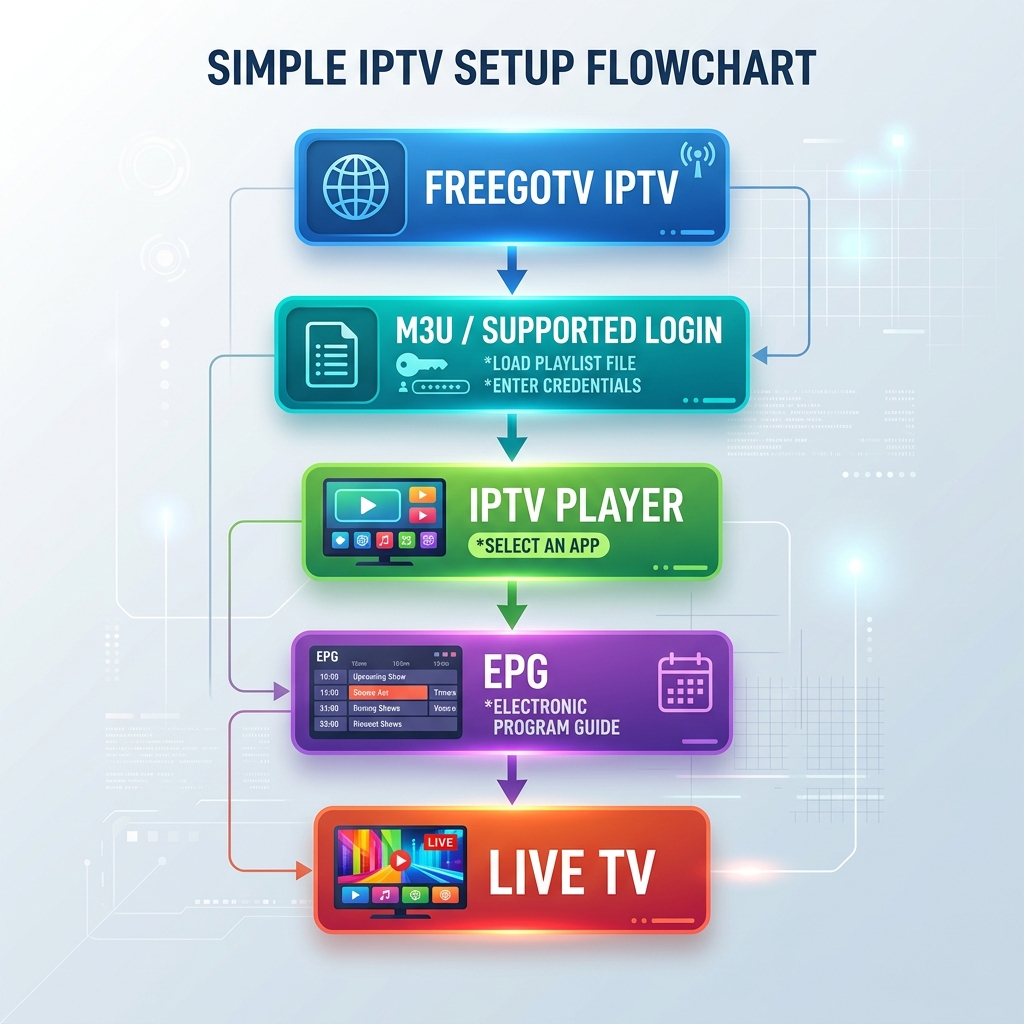 How to use an IPTV player with FreeGoTV IPTV
Which IPTV Players Are Best for 4K Streaming?
As 4K televisions become the standard, users naturally want to stream in Ultra High Definition. But which IPTV players are best for 4K?
The truth is that the player software is only one part of the equation. An IPTV player does not automatically increase stream quality. A standard definition stream will remain standard definition, no matter how expensive the player app is.
4K performance depends on a chain of factors:
- Source quality: The IPTV service must actually broadcast a true 4K source.
- Device hardware: Your Firestick or Android box must have a processor capable of hardware-decoding 4K HEVC/H.265 video in real-time.
- Internet connection: 4K requires massive bandwidth (minimum 25+ Mbps of stable, uninterrupted speed).
- Network stability: Using an Ethernet connection is always recommended over Wi-Fi to prevent dropped packets.
- Player compatibility: The app must be able to utilize your device's hardware acceleration. Players like TiviMate and XCIPTV are highly optimized for this.
If you are experiencing buffering while watching high-resolution channels, check out our comprehensive guide on fixing IPTV 4K buffering.
Premium FreeGoTV Streaming — Save 61% Today
Unlock crystal-clear HD/4K streaming, advanced EPG, and zero buffering. Get our Ultimate 12-month plan for just $69.99.
- Premium Antifreeze
- Instant Setup
Which IPTV Players Have the Best EPG?
EPG stands for Electronic Program Guide. It is the on-screen menu that displays current and upcoming television programs. A high-quality EPG is what separates a frustrating list of raw links from a premium TV experience.
When evaluating EPG quality in an IPTV player, consider:
- Guide layout: Does it look like a standard television grid?
- Program information: Does it display descriptions, cast information, and episode numbers?
- Navigation: Can you easily skip ahead days in the schedule?
- Refreshing: Does the app automatically download the latest guide data in the background?
- Channel organization: Does it correctly map the guide data to the channel logos and names?
In 2026, TiviMate remains the undisputed king of the EPG. Its grid is flawless, it allows you to assign multiple EPG sources, and it caches the data beautifully for instant loading. OTT Navigator and XCIPTV also offer excellent, highly functional guides.
M3U vs Xtream Codes: What Is the Difference?
When setting up your IPTV player, you will generally be asked to choose between an M3U playlist or an Xtream Codes API login. What is the difference?
M3U
An M3U file is essentially a massive text document containing thousands of direct URLs to video streams. When you input an M3U link into a player, the player downloads this massive list and displays it. EPG data must usually be added via a separate URL (an XMLTV link). M3U is universally supported but can be slow to load because the file sizes are huge.
Xtream Codes/API
The Xtream Codes API is a much more modern and efficient login method. Instead of downloading a massive text file, you enter a Server URL, a Username, and a Password. The IPTV player then communicates directly with the provider's server database. This method is drastically faster, automatically categorizes Live TV and VOD, and automatically pulls in the correct EPG data without needing a separate link.
Compatibility differs between players, but if your app supports Xtream Codes (like Smarters, TiviMate, or XCIPTV), it is highly recommended to use that method over a raw M3U link.
How to Choose the Best IPTV Player in 2026
With so many options available, how do you make the final decision? Follow this simple step-by-step decision process:
- Identify your device: Are you using a Smart TV, a Firestick, an Apple TV, or a phone?
- Identify the operating system: Is your TV running Android TV, Samsung Tizen, or LG webOS?
- Check availability: Search your device's native app store to see which players are officially available to download.
- Check M3U/Xtream compatibility: Ensure the player supports the login format provided by your IPTV service.
- Check EPG support: Verify that the player features a robust TV guide interface.
- Decide whether you need recording: If you plan to record live TV, ensure you choose an app like TiviMate and have a device with adequate storage.
- Consider free vs premium: Decide whether you are willing to pay a few dollars for a premium unlock (which is almost always worth it for the improved interface).
- Test the interface: Download 2 or 3 free apps and see which interface feels most natural to you.
- Choose the player that fits your setup: Once you find the perfect match, log in with your credentials and enjoy.
Using FreeGoTV IPTV With an IPTV Player
To access the massive library of live channels, movies, and series offered by FreeGoTV IPTV, you will need a compatible IPTV player. Because FreeGoTV utilizes modern, industry-standard server infrastructure, our service is highly compatible with virtually every major player on the market today.
When you purchase a FreeGoTV subscription, you will receive the necessary credentials to log in via Xtream Codes API or M3U playlist. Whether you prefer the elegant TV guide of TiviMate on your Firestick, the cross-platform simplicity of Smarters Player on your phone, or a native app on your Smart TV, the FreeGoTV servers deliver fast, reliable, and high-quality streams directly to your chosen application.
Frequently Asked Questions
Final Thoughts: Choosing the Right IPTV Player in 2026
Finding the perfect setup for your home entertainment requires understanding that there is no single IPTV player that is perfect for every device. The right choice depends entirely on the specific hardware you own, the operating system it runs, your preference for EPG layouts, and your willingness to pay for premium app features.
By pairing a highly capable player—like TiviMate for your Firestick, or IBO Player for your Smart TV—with a reliable, high-performance service like FreeGoTV, you can completely revolutionize the way you watch television. Ready to test out your new favorite app? Head over to our Pricing page to grab a premium FreeGoTV subscription and start streaming in minutes!